

2026 Update: Envera, ABDi, and a Changing Market
The Envera story has changed considerably since this article was first published.
In July 2024, Envera Systems acquired Applications by Design, Inc. (ABDi), a longtime provider of community management and access-control software for gated communities. Envera has since continued operating its MyEnvera ecosystem while also positioning ABDi Community+ as a newer platform for visitor management, incident logging, guard operations, reporting, and community security workflows.
At Proptia, we’ve also seen a noticeable increase in inquiries from communities currently using Envera or ABDi that are evaluating alternatives.
The reasons vary by community, but the conversations often center around a few recurring questions:
- How responsive is support when something goes wrong?
- How much administrative control does the community have itself?
- Which reports and data can management access without requesting help?
- Who owns the infrastructure?
- Can the community change guarding providers without replacing its technology?
- How difficult would it be to migrate if the relationship no longer works?
- Is the platform continuing to evolve around the community’s changing needs?
Those questions are important because choosing a security platform isn’t only about what happens at the gate today.
It’s also about how much control your community retains five or ten years from now.
Envera and ABDi: What Changed?
Envera historically built its reputation around an all-inclusive security model combining equipment, monitoring, visitor verification, access control, and its Virtual Gate Guard service.
ABDi approached the market from a different direction, focusing heavily on configurable community management software for staffed gated communities.
Envera’s 2024 acquisition brought those two businesses together. Today, the company markets both its traditional Envera security offerings and ABDi’s Community+ software under the broader Envera organization.
For existing customers, that means it’s worth understanding which technology environment your community actually uses.
Ask:
Are we on MyEnvera, legacy ABDi CMS, Community+, or some combination of systems?
That answer can affect reporting, integrations, resident workflows, guard operations, support, and ultimately the complexity of a future migration.
The virtual guarding and remote visitor management model has been gaining traction in recent years due to the high-cost of labor and on-site guards. Envera Systems out of Florida, is one of the companies providing virtual guarding solutions. In this article we will examine Envera systems reviews, costs, and alternatives. A range of security options exists, of which the virtual guard is but one. This article seeks to explore several other alternatives, including self-service kiosks and hybrid models that combine human guards with advanced technology. Our aim is to assist you in selecting the most appropriate solution for your specific security requirements, while keeping things clear and understandable.
In this article, you’ll find:
Let’s jump in!
About Envera Systems
For over 15 years, Envera Systems has provided access control solutions to properties in the United States. With several products and a mission “to partner with communities and provide security through industry-leading technology and superior customer service,” they have become a reliable provider and an industry leader.
Envera Systems offers products and services to suit the needs of any property, from small residential communities to large commercial developments. As a full-service provider, they will install, maintain, and support your system.
Unfortunately, what was once a widely used product has recently encountered some issues, leading to negative customer reviews and prompting many to explore alternatives like www.proptia.com.
Envera Systems and Products
The company offers a variety of access control products and services to ensure your property is secure.
Virtual Gate Guard
On-premises guards can be expensive, inefficient, and prone to mistakes. To combat this, the virtual gate guard has become a valuable way to monitor access points without needing an in-person check.
As residents or visitors approach the gate, an automatic system attempts to confirm their credentials. If they have not been pre-approved, they are connected to trained security personnel or via a two-way intercom system for verification.
There are two automated systems available from Envera Systems.
Driver’s License Technology
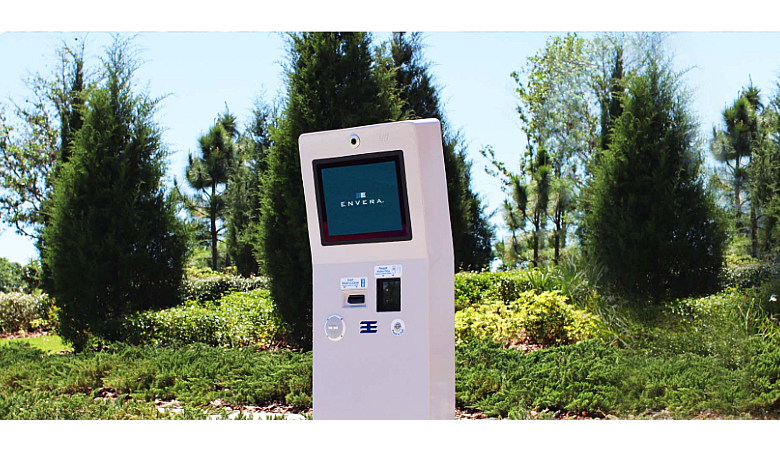
Using an ATM-like kiosk, the driver’s license technology scans and verifies the visitor’s license against a list of manually approved visitors. If the license has not been approved, a virtual guard will be connected to find out where the visitor is going and contact the appropriate resident to confirm a scheduled appointment.
Photos will also be taken of the license, ensuring a record of all visitors that have been granted access.
License Plate Technology
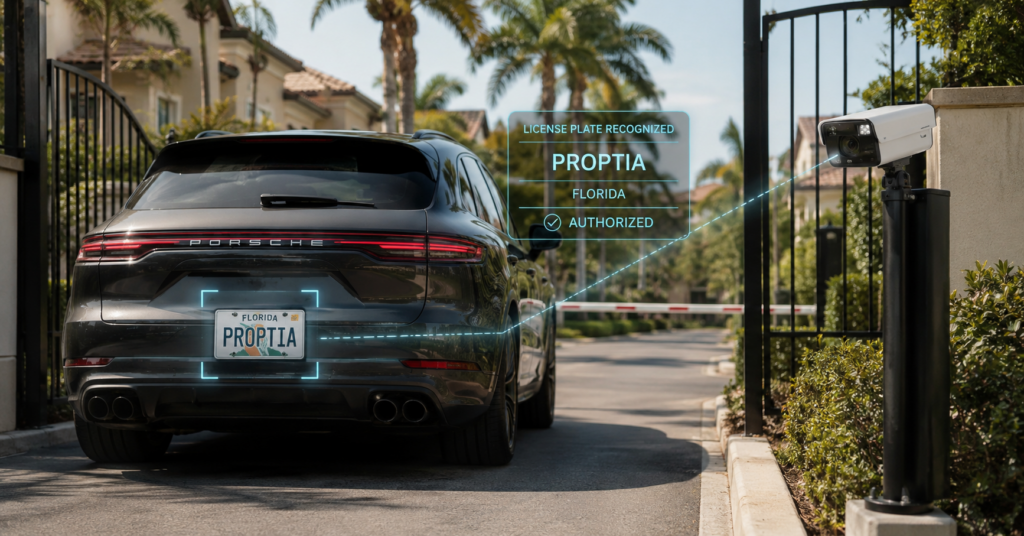
Even quicker is the automatic license plate reader, which uses an optical character recognition platform to scan the license plates of incoming vehicles. If the plate does not match a pre-approved list, a trained guard will connect with the driver through a two-way intercom (one-way video) to confirm the visitor’s identity and purpose.
Access Control
An access control system is the first line of defense against unauthorized entry to a property. Their website claims that Envera uses key cards, fobs, vehicle stickers, or biometric identifiers to grant access to a property, though the specific systems are not detailed.
Management uses a browser-based community database to maintain an accurate credential list, meaning access can be granted or revoked easily.

Video Surveillance
In addition to access control, Envera systems offers a variety of video surveillance solutions. Their cameras are designed to capture clear images in low light, making them suitable for indoor and outdoor usage. They offer two levels of security:
Active Video Surveillance
Envera systems provides surveillance and virtual guarding which allows operators to view live footage and intervene if necessary.
They can then activate a two-way intercom system to contact the trespasser before contacting local law enforcement if necessary.
Passive Video Surveillance
A more traditional solution, passive video surveillance records footage to be reviewed later. This can be used for investigative purposes or to document any incidents on the property.
These security camera systems can deter criminal activity and help recoup losses, even if no one is there to monitor the footage in real time.
Barrier Gates
One of the biggest issues secure properties face is tailgating – an unauthorized vehicle following close behind one that has successfully gained access.
With high-speed barrier gates, this is no longer an issue. Envera Systems offers several additional features, such as smart LED lighting (indicating stop or go, depending on color), breakaway technology to reduce the cost of repairs, and automatic strike alerts that notify operators of any potential tailgaters.
Envera Systems Cost
Like many property and visitor management companies, Envera does not list its pricing structure online. You would have to file an inquiry with their customer service team to get any insight into the cost of their systems.
Luckily, we were able to find a white paper from a gated community in Florida, breaking down the difference between manned guardhouses and an Envera system.
The report analyzes the cost of three different security scenarios.
1. 24/7 Manned Guard Gates
To provide adequate security for the community, the board estimated the cost of 24/7 manned guardhouses to be $229,736 per year. That does not include the $36,000 it would have cost to build an additional facility at the back gate for the guard to work in or the $45,000 spent on electronic hardware installation.
2. 12-Hour Manned Guard Shifts
The board also estimated the cost of having guards manning for only 12 hours of the day. That would effectively cut the cost in half, to $114,868. That does not include the price of the additional automated system that would be required for after-hours support.
3. Envera System
Envera qouted this property $70,644 per year, including the cost of cameras and construction. Envera fronted the $45,000 cost for this setup and then leased the kiosk, cameras and other equipment to the customer as part of the price.
While this white paper is from several years ago, it shows how much more affordable virtual guard systems can be than traditional security.
It meant a savings of $44,244 per year versus a 12-hour manned schedule and $159,092 compared to a 24-hour operation – not even including the other considerable investments the community would need to set up the latter two.
Envera Systems Pros and Cons
Envera Systems has been around for quite a while, but it’s not without its flaws. Let’s look at some pros and cons of using Envera Systems for your access control and video surveillance needs.
Pros
-
- Considerably cheaper than full-time guard schedules
- Can protect against tailgaters
- Full-service provider, offering installation, maintenance, and monitoring
- Virtual guards can detect suspicious entry better than keyfobs or RFID
Cons
-
- HOAs are dependent on Envera’s system and management of data
- If they let go of Envera the community is stuck without a system in place
- Browser-based management software can be less stable than mobile apps
- Virtual guards have never visited the community or property
- Driver’s license readers can be a nuisance for regular visitors and vendors
- Gate malfunctions can cause long wait times due to no on-site staff
- Lacks integration with other security solutions
One of the Most Important Questions: Who Controls Your System?
Many communities initially evaluate security providers by comparing features.
Visitor management.
Access control.
License Plate Recognition.
Virtual guards.
Video surveillance.
But there is another question that becomes much more important after implementation:
Who actually controls the system?
A property manager should understand what they can administer directly and what requires involvement from the provider.
For example:
- Can you create and modify your own reports?
- Can you search historical transactions yourself?
- Can you retrieve the data you need immediately?
- Can you manage residents and credentials?
- Can you change access rules?
- Can you export your information?
- Can you review audit history?
- Can you configure workflows without submitting a service request?
Envera’s current materials advertise reporting capabilities through Community+ and visibility into gate and visitor activity. Its support resources also show that some services—such as equipment service and video retrieval—are handled through Envera’s service-request process.
That doesn’t make one approach inherently better.
But buyers should understand the distinction between software you administer directly and a managed security service where portions of the operation remain provider-mediated.
Administrator Access Matters More Than It Sounds
When your community controls its own platform, the property manager or designated administrator can become the authority over the community’s operational data.
That changes everyday work.
Suppose the board asks:
How many contractor entries occurred after 6 PM last quarter?
Or:
Which vehicles repeatedly entered through the south gate last month?
Or:
What resident authorized this visitor?
Or:
Show me activity associated with this plate.
The question isn’t simply whether that information exists.
The better question is:
Can your team get the answer itself?
This is one area where Proptia takes a different approach.
Your authorized administrators work directly within the platform and retain access to community reporting, resident and vehicle records, visitor activity, access-control transactions, LPR information, incidents, and other operational data according to their assigned permissions.
The objective is to make the community the administrator of its own operation, rather than requiring the provider to be the intermediary every time management needs information.
Envera Systems Reviews
Online reviews can be useful when evaluating a security provider, but they should be viewed as one part of a much larger picture. Every community has different hardware, staffing models, gate configurations, service expectations, and operational requirements, all of which can influence the customer experience.
Envera has a mix of positive and negative feedback online. As of September 2026, its Better Business Bureau profile includes reviews that raise concerns around areas such as customer support, system reliability, gate availability, and visitor processing. Some complaints also appear to cluster around particular incidents or periods, including service disruptions that Envera has publicly acknowledged.
It is equally important to consider how a company responds when issues occur. Envera has responded publicly to some customer concerns and has continued investing in areas such as Community+, network redundancy, Guard Module Software, and its Virtual Gate Guard service. The company also publishes positive customer testimonials from communities that have had successful experiences with its solutions.
For boards and property managers, individual reviews—positive or negative—should not be taken as universally representative. There are simply too many variables involved in a community security deployment for one review to tell the whole story.
Instead, use reviews to identify questions worth investigating during your own evaluation:
- Are the same concerns appearing repeatedly?
- Were they concentrated around a particular outage, product, or time period?
- Has the provider acknowledged the issue?
- What steps have been taken to address it?
- Are current customers seeing a different experience today?
- Do the concerns raised overlap with the areas most important to your community?
The goal isn’t to determine whether Envera’s reviews are simply “good” or “bad.”
A more useful question is:
Do the themes appearing in customer feedback matter to our community, and is Envera demonstrating that it is listening to and addressing those concerns?
Software and Guarding Don’t Have to Be the Same Decision
The Traditional Bundled Model
With an all-inclusive virtual guarding provider, several components may be purchased together:
Software + Hardware + Monitoring + Virtual Guards + Service
There are real advantages to that approach.
There is one provider to call.
The operating model is standardized.
Technology and staffing are designed to work together.
Envera explicitly markets this all-inclusive approach as one of its strengths.
But there is also a tradeoff buyers should understand.
If the software, infrastructure, and guarding service are tightly coupled, changing one part of the relationship can become much more difficult.
Imagine your community is happy with its visitor management system but unhappy with its remote guarding provider.
Or the opposite.
Can you replace only that component?
That question can dramatically affect your flexibility later.
A Platform-Neutral Approach to Virtual Guarding
Proptia takes a different approach.
The community can own its core security infrastructure and operate Proptia as the technology platform while selecting the guarding model that makes sense for the property.
That might include:
- an on-site security company;
- an internal gate attendant;
- a third-party virtual guarding company;
- self-service visitor kiosks;
- or a hybrid combination.
The guarding service plugs into the community’s technology rather than being the community’s technology.
That means if your board later decides:
We want a different virtual guarding provider.
You don’t necessarily have to replace your visitor management system, resident database, access control infrastructure, LPR system, or historical operational data at the same time.
The community remains the constant.
The service provider can change.
That distinction matters.
Think About the Exit Before You Sign the Contract
When selecting a security platform, most boards focus almost entirely on implementation.
Few ask what happens if they eventually leave.
Before signing with any provider, not just Envera, ask:
Who owns the hardware?
Is it purchased by the association, financed, leased, or included as part of the service?
Who owns the data?
Can you export residents, visitors, vehicles, credentials, transactions, incidents, and other historical records?
What happens to the equipment if the contract ends?
Can another provider use it?
Can you change guard companies independently?
Or is the staffing service tied to the technology?
What integrations survive termination?
Will access control, LPR, intercoms, cameras, or other systems continue functioning?
How long will migration take?
Could the community operate safely while transitioning vendors?
These questions rarely feel important during the sales process.
They become extremely important when the answer is:
“We want to make a change.”
Envera vs. Proptia: Two Different Operating Models
| Area | Envera | Proptia |
|---|---|---|
| Primary Model | Integrated security services and technology provider | Community security operations platform |
| Visitor Management | Included | Included |
| Access Control | Available | Integrated |
| LPR | Available | Integrated |
| Virtual Guarding | Envera-operated Virtual Gate Guard | Community can select a security service provider of their choice |
| On-Site Guards | Supported through Guard Module / hybrid model | Supported |
| Community Administration | MyEnvera / Community+ administration depending on deployment | Community administrators directly manage platform |
| Reporting | Reporting access varies by deployment; some reports may require a request to Envera. | Full access to operational reporting and dashboards |
| Hardware Model | Varies by solution and contract—buyers should verify ownership/lease terms | Community owns its underlying infrastructure |
| Guard Provider Portability | Envera’s core virtual guard offering is part of its service ecosystem | Guarding service can be changed independently of core software |
| Platform Approach | Security provider + software + services | Platform that can connect visitor management, access control, LPR, kiosks, guards, reporting and integrations |
| Best Fit | Communities seeking a more managed, integrated security-service model | Communities seeking greater control over technology, data and provider choice |
If You’re Currently Using ABDi
Envera’s acquisition of ABDi does not mean every ABDi community suddenly operates on the same technology as a traditional Envera customer.
Envera continues to market ABDi Community+ and maintains dedicated resources for ABDi customers, while separately operating the MyEnvera and Virtual Gate Guard ecosystem.
If your community currently uses ABDi, there are several questions worth asking as the combined product strategy continues developing:
- Which platform are we currently running?
- What is the long-term roadmap for our existing environment?
- Are we expected to migrate to Community+?
- What will migration require?
- Will our existing integrations continue working?
- What hardware will need to change?
- Will our historical information migrate?
- What new costs should we anticipate?
- What administrative functionality will remain available?
- What support model will apply going forward?
A merger or acquisition isn’t necessarily a reason to switch vendors.
But it is a reasonable time to reevaluate whether the direction of the combined platform still aligns with your community’s long-term needs.
That phrasing is fair, and I think it’s very powerful.
What to Ask If You’re Considering Switching from Envera or ABDi
Then I’d give them an actual migration checklist:
- Inventory your existing hardware.
Document cameras, gate operators, readers, kiosks, access-control panels, LPR cameras, intercoms, networking equipment, and workstations. - Determine what the association owns.
Don’t assume equipment installed at the property belongs to the HOA. - Request a complete data export.
Residents, households, vehicles, visitors, credentials, vendors, access permissions, and any other information needed for migration. - Document your current workflows.
Don’t replicate a bad process simply because that’s how the old system worked. - Identify integrations.
Property management software, access control, cameras, intercoms, LPR, resident databases, and third-party services. - Plan the transition lane by lane.
A security-system migration should minimize disruption to resident and visitor access. - Communicate with residents early.
Explain what will change, what won’t, and what residents need to do. - Establish a fallback procedure.
Make sure guards and management know how access will operate if something goes wrong during migration.
This moves the article from competitor marketing to actual buying guidance.
Why Communities Consider Proptia as an Envera Alternative
Proptia is designed so the association can remain at the center of its security operation.
Your administrators can work directly with resident, visitor, vehicle, credential, access-control, LPR, incident, vendor, and reporting data.
Your community can own its infrastructure.
Your security personnel can be internal, contracted, remote, or hybrid.
And if your preferred guarding provider changes later, your core operating platform doesn’t have to change with it.
That flexibility becomes increasingly valuable as security needs, technology, budgets, and service providers evolve.
Now Let’s DIscuss the Common Visitor Management Models
For a more detailed overview read “Gate Guard Cost vs Virtual Guard Cost: Which Is Right For Your HOA?
On-Site Guards
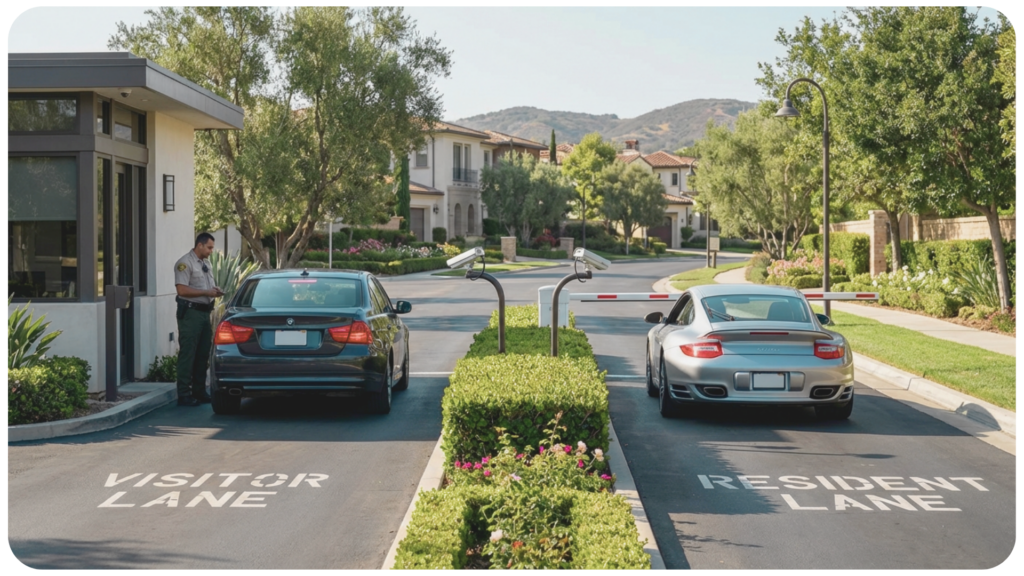
This is the most thorough security measure available but also the most expensive. 1 24/7 guard can cost a community between $175-$220k a year depending on the company and additional services. However hiring on-site guards provides a physical presence to monitor visitors and deter unwanted activity.
Pros
- Physical presence
- High level of security
- Professional and trained staff
- High-end concerige feel
- HOA can have their own systems implace e.g. visitor management, access control, and license plate recognition and just hire out the guard service.
Cons
- Expensive
- Can be intrusive for visitors
- Typically high-turnover industry
- Managing relationships between human residents and human guards
Self-Service Kiosks
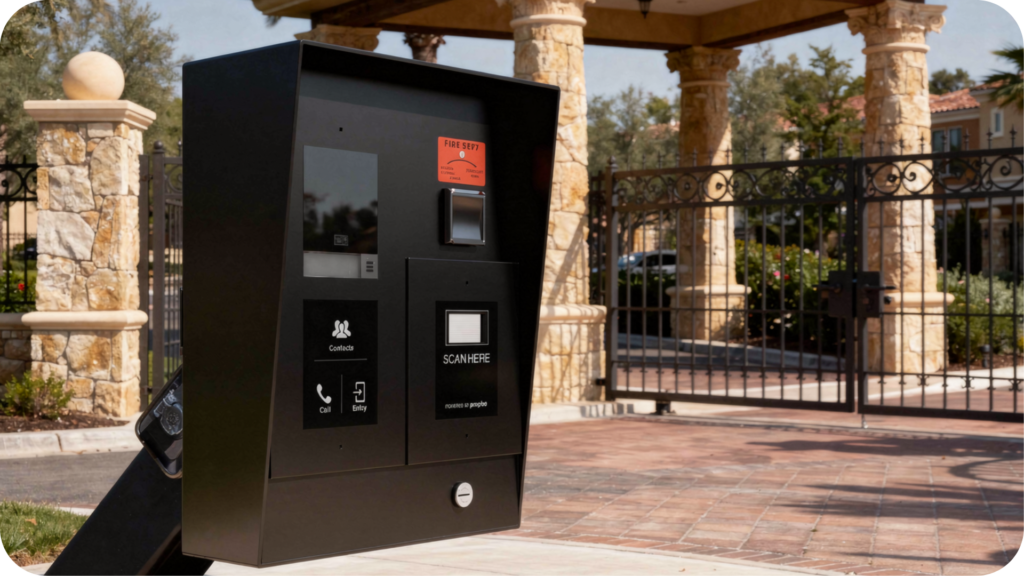
Self-service kiosks also called, intercoms or telephone entry units, are automated systems that allow visitors to check in without assistance from a guard. The user simply enters their information, calls a resident directly, or is granted access based on pre-programmed credentials, QR code or ePass. There are many available manufacturers of telephone entry system, that range in cost from $1,500 up to $8,000. Many also come with a monthly software subscription. If considering this option you’ll want to look at units that have the ability to integrate with other solutions such as access control, vehicle detection, and license plate recognition to give you the level of security you want with a guard but without the high cost.
Pros
-
- Cost-effective
- No need for on-site staff
- Quick and convenient process
- If unit malfunctions it can cause backups
Cons
- Not as secure
- Can be unreliable
- Some models lack integration options to other levels of security such as license plate recognition and vehicle identifcation.
Virtual Guards
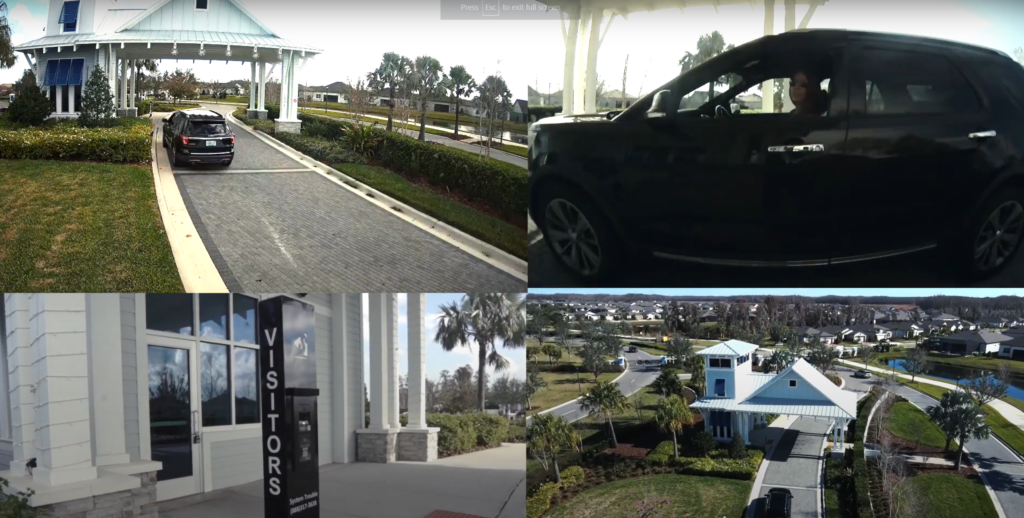
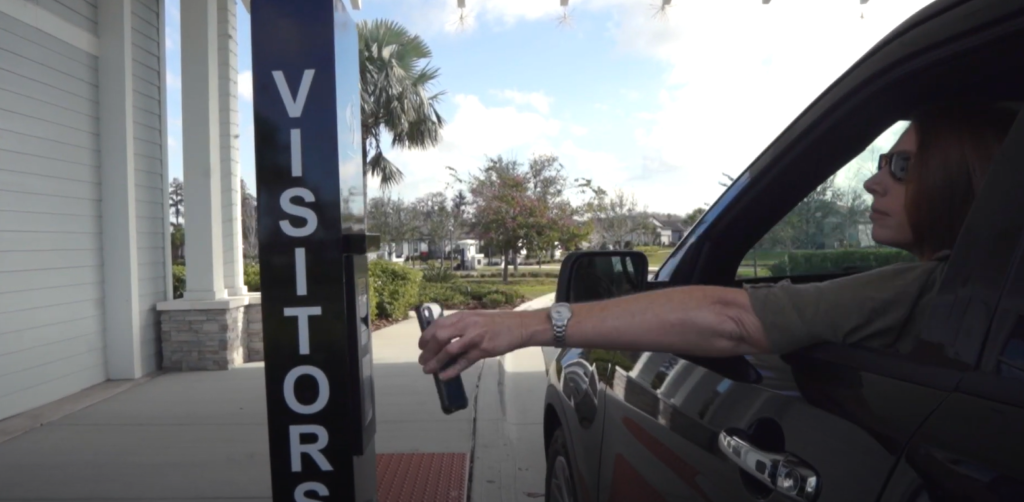
The guards can monitor the property remotely, administer vehicle detection and license plate recognition and interact with visitors via two-way audio. This remote-operated security can run into trouble if there is a technical issue, but it does provide an extra layer of protection.
Pros
-
- More secure than kiosks (if operating correctly)
- Cost-effective solution
- Remote guard can interact with visitors
- Usually comes with more technology that will improve your entire security system infrastructure
Cons
-
- Technical issues can occur
- More costly than self-service intercoms
Hybrid
A hybrid system is a combination of the above. This can include on-site guards, kiosks, and virtual guards for maximum security. It is flexible and allows the property owner to customize their solution to fit their needs and budget.
It could include a physical guard during the day, a virtual one at night, or a combination of automatic kiosks at some entrances.
Pros
-
- Flexible and customizable
- Combines the benefits of the other three options
Cons
-
- Can be expensive
- Can be confusing to manage and maintain unless you have a fully integrated system such a Proptia
More About Proptia
Proptia is a modular software solution that puts the power of security customization into the hands of the customer or HOA.
The system is designed to ensure you have full control over who can access your property by offering hybrid models of support for self-serve kiosks, manned guard gates, and other security options. Which means whatever model you choose, whether it be hiring onsite guards, virtual guards, or a mix of both, you own the technology and data.
Key Differences
The biggest difference between Envera and Proptia is not simply the feature set. It is how much control the community wants to retain over its technology, data, infrastructure, and service providers.
Proptia is designed so the community remains at the center of the operation. Authorized administrators can directly manage residents, visitors, vehicles, credentials, access permissions, License Plate Recognition (LPR), incidents, vendors, reporting, and other operational data from within the platform. Rather than relying on the software provider every time management needs information or a reporting change, the community has direct administrative access based on the permissions it establishes.
That same philosophy extends to the physical security environment. Communities can own their underlying infrastructure and choose how security services are delivered—through an on-site security company, internal personnel, a virtual guarding provider, self-service kiosks, or a combination of those models.
This becomes particularly important when circumstances change. If a community decides to replace its guarding company, that decision does not necessarily require replacing its visitor management software, resident database, access control system, LPR infrastructure, or historical operational records.
The community remains the constant. The service provider can change.
Envera takes a more managed approach. Its Virtual Gate Guard, visitor management, hardware, monitoring, and related security services operate within the broader Envera ecosystem. Envera also supports hybrid deployments in which third-party on-site guards can use its Guard Module before coverage transitions to Envera’s virtual guards.
For some communities, having technology and security services closely coordinated by one provider is a significant advantage. For others, the tradeoff is that more of the community’s operation remains tied to that provider’s ecosystem.
Reporting is another area worth evaluating closely. Envera provides reporting capabilities, but the level of self-service access can vary by deployment, and some reports or information may require assistance from Envera. With Proptia, authorized community administrators have direct access to operational reporting and dashboards.
The right model ultimately depends on a simple question:
How much of your community’s security operation do you want to control directly, and how much do you want your provider to manage for you?
Who Is Proptia Best For?
Proptia is well suited for HOAs, master-planned communities, private clubs, and property managers that want greater control and flexibility over their security technology without having to build or manage the technology themselves.
It may be particularly worth evaluating if your community wants to:
- directly administer resident, visitor, vehicle, credential, and access information;
- create and access operational reporting without routinely relying on the provider;
- own or maintain control of its core security infrastructure;
- integrate visitor management, access control, LPR, kiosks, and other technologies;
- choose its preferred on-site or remote security provider;
- change service providers without automatically replacing the underlying operating platform; or
- expand functionality over time as the community’s requirements evolve.
Proptia’s modular approach allows a community to start with the capabilities it needs today while maintaining the flexibility to add additional security and operational tools later.
Communities that prefer a more bundled, managed security-service model may find Envera’s approach appealing. The best fit depends on how much responsibility and control the association wants to retain internally.
Key Takeaways
There is no single security model that works for every gated community.
Some communities want a traditional on-site guard operation. Others are moving toward virtual guarding, self-service kiosks, automation, or a hybrid combination of people and technology.
Envera has been an established provider in the virtual guarding market for many years and offers communities a managed ecosystem that can include visitor management, monitoring, hardware, Virtual Gate Guard, and hybrid guard operations. Its acquisition of ABDi has also expanded its software presence within staffed and guard-gated communities.
For boards and property managers evaluating Envera, ABDi, Proptia, or another provider, the most useful comparison goes beyond asking which company has a particular feature.
Consider questions such as:
- Who administers the system day to day?
- What information can your team retrieve without contacting the provider?
- Who owns the hardware and infrastructure?
- Can your data be exported if you change systems?
- Can you change security providers without replacing your technology platform?
- What happens to your operation if the relationship ends?
- How well can the platform adapt to new requirements over the next five or ten years?
If your community is currently using Envera or ABDi and is experiencing support, reporting, modernization, or operational challenges, that does not automatically mean you need to change platforms. It does, however, make this a reasonable time to evaluate whether your current model still aligns with your community’s long-term needs.
For communities that want more direct administrative control, greater provider flexibility, and the ability to build their security operation around a core platform they control, Proptia is one alternative worth evaluating.
If you’re considering a move from Envera or ABDi, our team can help you review your existing environment, identify what may be able to remain in place, and understand what a transition to Proptia would involve.
FREQUENTLY ASKED QUESTIONS
Did Envera acquire ABDi?
Yes. Envera Systems announced its acquisition of Applications by Design, Inc. (ABDi) on July 24, 2024. ABDi specializes in community management and access-control software for gated communities, condominiums, apartments, and country clubs.
What is ABDi Community+?
Community+ is Envera’s newer ABDi platform for staffed communities. Envera describes it as software for visitor access, incident logging, security checks, communications, reporting, and guard operations.
Can Proptia replace Envera?
Proptia can provide visitor management, access control, License Plate Recognition, gatehouse operations, kiosks, reporting, resident applications, and other community-security workflows. The exact migration requirements depend on the Envera hardware, software, and services currently deployed at the property.
Does switching from Envera mean changing virtual guard companies?
If a community moves to a platform-neutral architecture such as Proptia, it can select a compatible virtual guarding provider independently rather than requiring the guarding company and core community software to come from the same organization.
Can property managers access Envera reports?
Envera currently advertises reporting capabilities across products such as Community+ and Guard Module. The depth of self-service access can depend on the system deployed, so property managers should ask which reports they can create themselves versus information or services that require provider assistance.
Is ABDi now Envera?
ABDi is now part of Envera Systems, but Envera continues to market ABDi technology, including Community+, and maintains dedicated resources for ABDi customers
What are alternatives to Envera Systems?
Alternatives depend on whether your community wants virtual guarding, visitor management, access control, LPR, or a broader community security platform. Proptia is one alternative for communities that want to control their own technology while choosing their preferred on-site or remote guarding provider.
Can Proptia replace ABDi?
Yes, Proptia can be evaluated as an alternative to ABDi for visitor management, guardhouse operations, access control, LPR, resident management, reporting, and other community workflows. Existing data and hardware should be evaluated during migration planning.
Who owns Envera hardware?
Ownership can depend on the specific contract and deployment. Communities should review their agreement carefully to determine which cameras, kiosks, readers, networking equipment, gate hardware, and other components are owned versus leased.
What should an HOA ask before switching security platforms?
Boards should confirm hardware ownership, data-export rights, integrations, contract termination requirements, migration timelines, resident communications, fallback procedures, historical-data retention, and whether guarding providers can be changed independently of the technology platform.
Get in Touch
Considering a Move from Envera or ABDi?
If your community is evaluating alternatives, our team can help you review your current setup, understand what may be able to stay in place, and show you how Proptia supports visitor management, access control, LPR, reporting, and gate operations.